

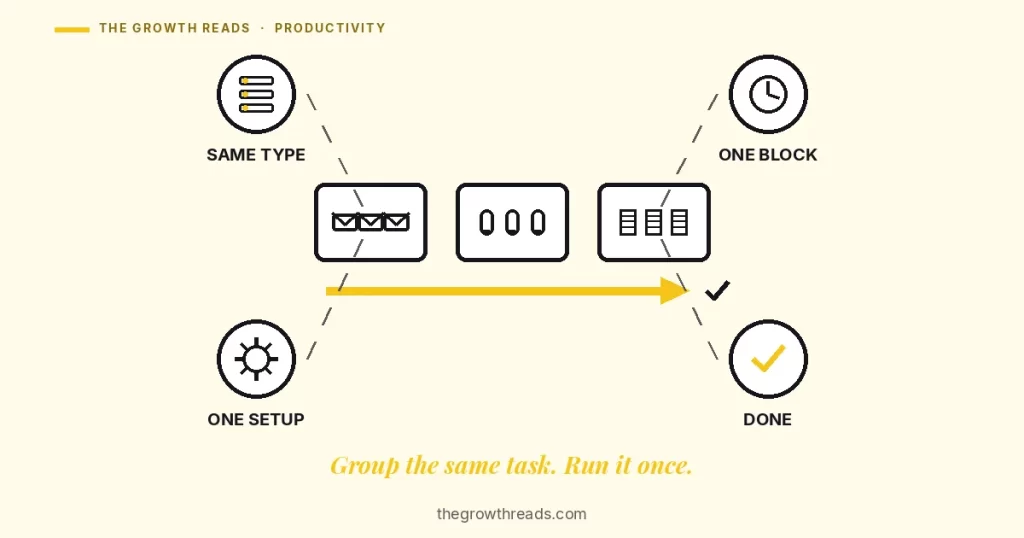
Task batching means grouping tasks that share a type — every email, every call, every errand — into one block and running them together, instead of switching between task types all day. Each switch between different kinds of work carries a measured time cost; batching just reduces how many times you pay it.
Key takeaways
- Switching between two different tasks cost measurable time on every trial in Jeffrey Rubinstein, David Meyer and Jeffrey Evans’s (2001) task-switching experiments, even when both tasks were simple and well-practiced — and the cost grew as either task’s rules became more complex.
- A “residual” switch cost remains even when people know a switch is coming and are given time to prepare for it, which is why simply intending to focus does not by itself remove the cost (Rogers & Monsell, 1995).
- Batching does not eliminate switching — it reduces how many times the brain has to pay the switch cost, from once per task to roughly once per batch.
- People who switch between tasks more frequently complete less total work in a session than people who stay on one task longer before moving to the next (Adler & Benbunan-Fich, 2012).
- Interrupted office workers do not simply keep working the same way, only slower — they compensate by working faster and report more stress, frustration and time pressure (Mark, Gudith & Klocke, 2008).
What is task batching?
Task batching is the practice of grouping tasks that share a type or context — all emails, all calls, all errands — into one dedicated block, then running the whole group before switching to a different kind of work. The idea predates the term. David Allen’s context lists in Getting Things Done — @calls, @errands, @computer — are an early, filing-cabinet version of the same move: name the category before you need it, then clear the whole category in one pass rather than one item at a time, scattered through the day.
The unit that gets grouped is the task type, not the task’s importance or its deadline. A batch can hold a trivial email and an urgent one side by side, because what matters for the switching cost is that both are the same kind of work — same mental mode, same tools open, same rules loaded.
Is task batching the same as time blocking?
No — batching groups tasks by type; time blocking protects a slot on the calendar, and the two solve different problems. A time block can still mix task types inside it; a batch can exist without ever touching a calendar. They combine well — a batch usually needs a fixed time-blocked slot to actually happen — but they are not the same lever.
| Approach | What it groups | Where it breaks |
|---|---|---|
| Task batching | Tasks of the same type, wherever they fall in the day | Doesn’t assign a fixed slot on its own — it still needs a home on the calendar |
| Time blocking | One task (or category) inside a protected slot | Doesn’t guarantee the tasks inside the block share a type |
| Multitasking | Nothing — different task types run inside the same window | Pays the switch cost on every hand-off, not once per batch |
Why does grouping reduce the switching cost?
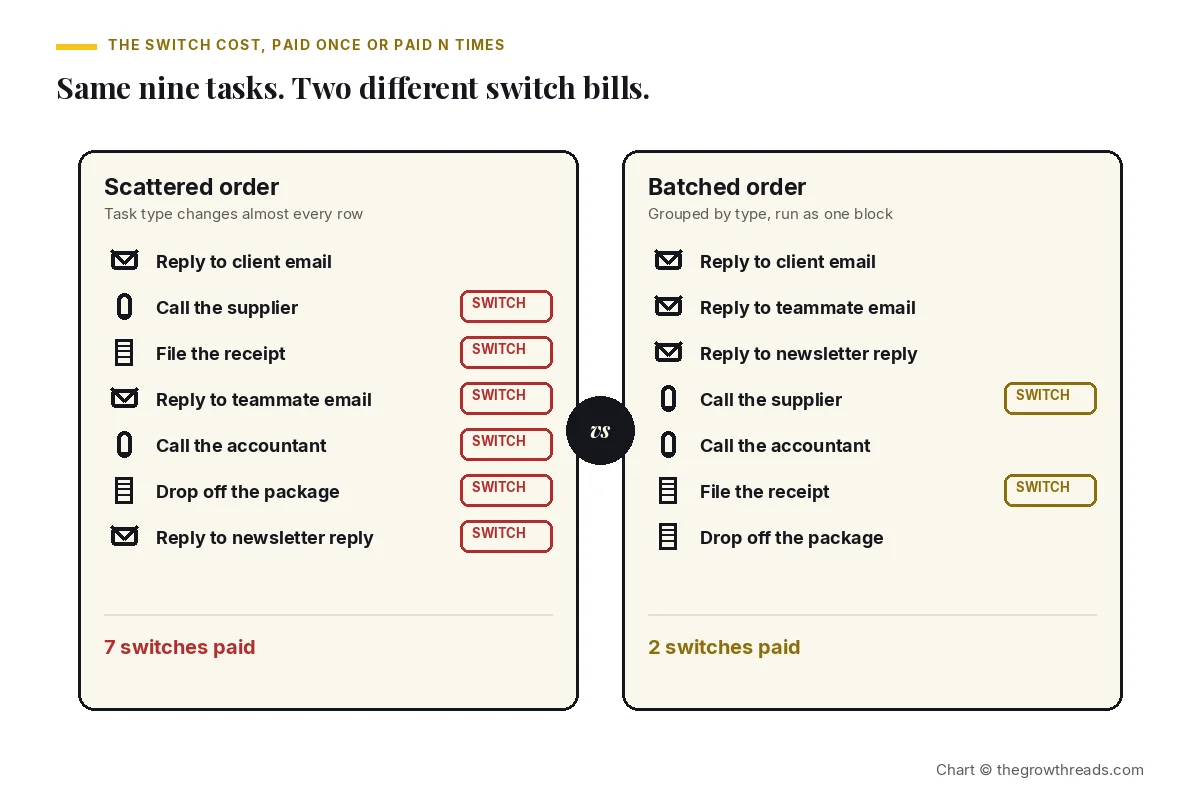
Each switch between different kinds of work forces the brain to drop one set of rules and load another, and that reconfiguration itself takes time — batching just reduces how many times the reconfiguration has to happen. Jeffrey Rubinstein, David Meyer and Jeffrey Evans’s (2001) task-switching experiments found that alternating between two rule-based tasks cost measurable time on every trial, compared with repeating the same task, and that cost grew larger as the tasks’ rules became more complex. Stephen Monsell’s (2003) review of the switching literature frames this as two components: reconfiguring which rules are active, and clearing out the previous task’s rules before the new ones can run cleanly.
Doesn’t knowing the switch is coming remove the cost?
Not entirely — a residual cost remains even with advance warning. Robert Rogers and Stephen Monsell’s (1995) classic experiment gave participants a predictable switching pattern and varying amounts of time to prepare for each switch. Preparation shrank the cost, but did not erase it: a residual switch cost persisted even at the longest preparation intervals tested. That is the specific finding batching leans on — you cannot think your way out of the cost in the moment, but you can restructure the day so the switch happens once per batch instead of once per task.
Why does the switching cost add up more than it feels like?
The cost doesn’t show up as one dramatic failure — it shows up as a day that took more effort than the task list justified. Reeva Adler and Raquel Benbunan-Fich’s (2012) multitasking experiments found that participants who switched between tasks more frequently completed less total work in a session than participants who stayed on one task longer before moving to the next — frequency of switching, not just its existence, predicted the toll. Gloria Mark, Daniela Gudith and Ulrich Klocke’s (2008) field study of interrupted office work found the compensation was not neutral either: people who were interrupted did not simply keep the same pace and finish later — they worked faster to catch up, and reported more stress, frustration, effort and time pressure than people who worked without interruption.
Victor González and Gloria Mark’s (2004) field study of information workers is the softer, observational half of this picture: it found that the working day was naturally fragmented into many short bursts of different activity, well before any of it reached a to-do list. Batching doesn’t fight that fragmentation everywhere at once — it claims back the categories that repeat most (email, calls, admin) and gives them one lane instead of a dozen.
One honest caveat. None of these studies measured batching as a named intervention — they measured the cost of switching itself. The case for batching is an inference from that cost, not a separate randomized trial proving batched days outperform unbatched ones. Treat it as well-supported mechanism, not a guaranteed hours-saved figure.
Deciding which batch to run first can itself become the hang-up — endlessly re-ranking email versus calls versus errands instead of starting either. When the stall is the choosing, not the doing, that’s analysis paralysis, and the fix is a different one: pick any defensible order and start, rather than optimizing the batch sequence itself.
How do you build a task batch?
Name the categories that already repeat, give each one a fixed block, cap the length, and protect the edges once it starts. Start by listing what actually recurs in a normal week — most people find three to five categories cover most of it: email, calls, errands, admin, some kind of routine review. Laura Vanderkam’s 168 Hours makes the case for doing this with real numbers rather than a guess: a short time audit usually turns up more repeating categories, and more slack for them, than people expect.
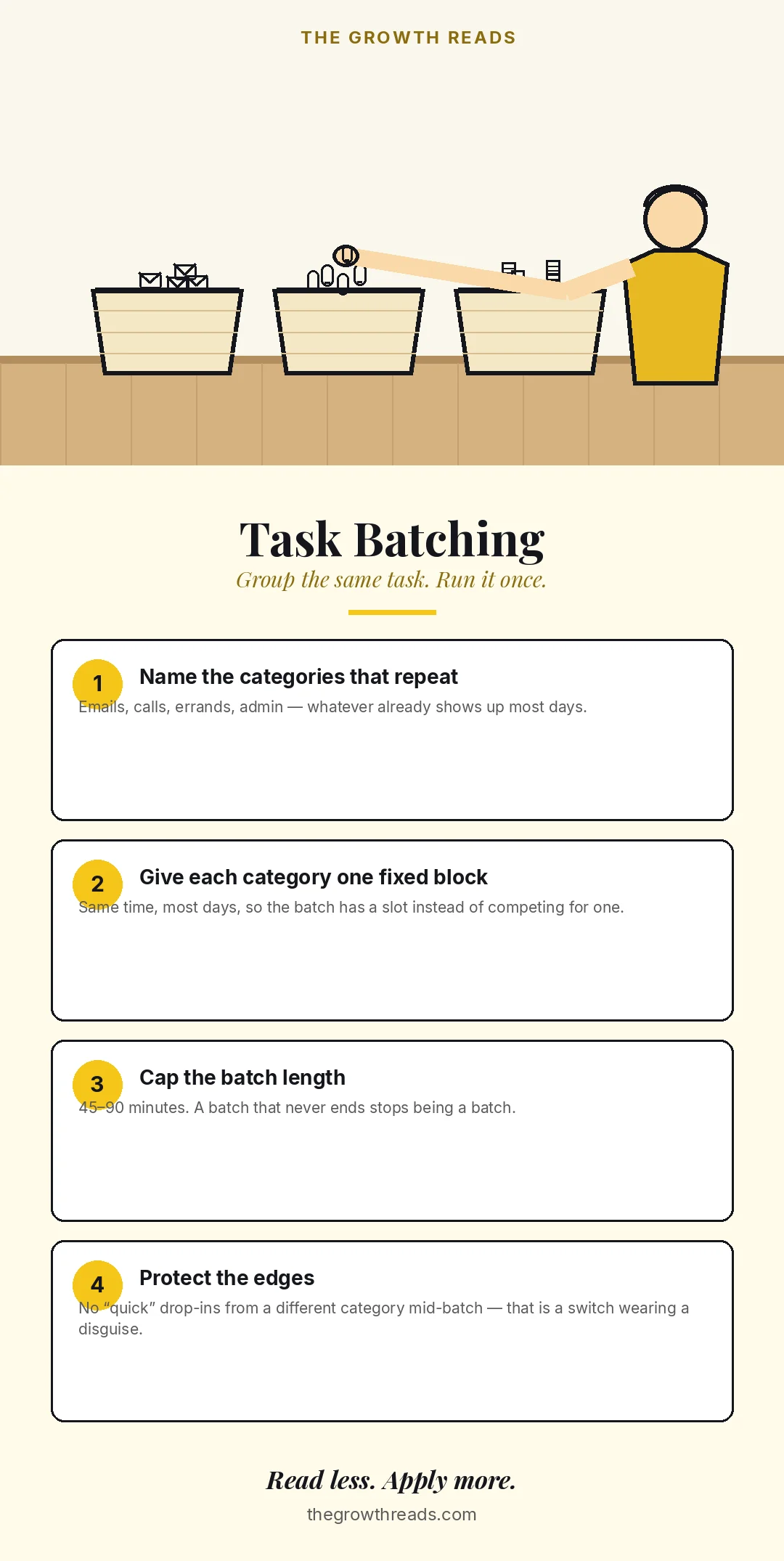
- Name the categories that repeat. Emails, calls, errands, admin — whatever already shows up most days, named specifically enough that you know what belongs and what doesn’t.
- Give each category one fixed block. Same time, most days, so the batch has a slot instead of competing with everything else for attention.
- Cap the batch length. Forty-five to ninety minutes works for most categories. A batch that never ends stops being a batch and turns back into the whole day.
- Protect the edges once it starts. No task from a different category jumping the queue mid-batch — that’s a switch wearing a disguise, and it costs exactly what an unplanned switch costs.
Decide the categories and their slots during a weekly planning pass — the same session that works for a weekly review is the natural place to also confirm this week’s batches still match this week’s actual repeating work.
What are the common mistakes?
- Batching by urgency instead of by type. Grouping “everything due today” mixes task types back together and defeats the switch-cost saving — urgency decides order inside a batch, not which batch a task belongs to.
- Letting a “quick” task jump the queue mid-batch. The two-minute rule is for genuinely stray tasks that arrive outside any batch — it isn’t a license to interrupt a running batch for something that could wait for the next one.
- No fixed slot for the batch. A category with no scheduled time competes with everything else all day and usually loses. Confirm the slot exists before trusting the category will actually run.
- Batches that run so long they become their own delay. An email batch that quietly eats the whole morning is not batching — it’s procrastination wearing a productive-looking coat.
- Treating batching as the whole day’s plan. Batching decides how similar tasks get grouped; it doesn’t decide which six things matter most tomorrow. The Ivy Lee method‘s night-before list is what settles that, before the batches even start.
- Batching work that genuinely needs individual judgement. Not every category benefits from grouping — decisions that need fresh attention each time are a different problem, covered more broadly across The Growth Reads’ productivity library.
When does batching not help?
Batching assumes you can protect a block of time, and it assumes the problem is switching rather than starting — neither assumption holds for every role or every stall. Support, on-call and reception-style roles are interrupted by design; a rigid batch window breaks the first time someone else’s emergency lands inside it. Writing the categories so they survive interruption (“if the block breaks, resume at the top of the list”) helps more than insisting the block stay sealed. The same protection that focusing better depends on is what a batch is trying to borrow — where one is impossible, so is the other.
If the real difficulty is starting the batch at all, rather than staying inside it once started, batching is the wrong tool. That’s a procrastination problem wearing a scheduling costume, and it needs a smaller first step, not a bigger container. This article is not medical advice; persistent, cross-context difficulty starting or sustaining attention is a reason to talk to a clinician, not to redesign the calendar again.
What does the evidence actually show?
The most reliable finding across this literature is that switching between task types costs real time and carries a real cost in pace and stress — not a specific number of minutes any single batching plan will save.
| Study | Design & focus | Finding | What we used it for |
|---|---|---|---|
| Rubinstein, Meyer & Evans (2001) | Lab experiment alternating between two rule-based tasks | Switching cost measurable time on every trial, growing with rule complexity | The baseline mechanism: switching itself, not the work, is what costs time |
| Rogers & Monsell (1995) | Lab experiment, cued switches with varied preparation time | A residual switch cost remained even at the longest preparation intervals | Shows advance warning shrinks but doesn’t erase the cost |
| Adler & Benbunan-Fich (2012) | Multi-session experiment tracking self-paced switching frequency | More frequent switching predicted less total work completed | Frequency of switching, not just its presence, drives the toll |
| Mark, Gudith & Klocke (2008) | Field study comparing interrupted and uninterrupted office work | Interrupted workers compensated by working faster, with more stress and effort | The cost shows up as pace and mood, not only missed time |
Victor González and Gloria Mark’s (2004) field study of information workers, and Sophie Leroy’s (2009) attention-residue experiments, round out the picture from two more angles — a naturally fragmented workday, and a lingering trace of the previous task that follows a person into the next one. Together the studies support grouping same-type work to cut the number of switches. They do not measure a specific “hours saved per week” figure for any particular batching schedule.
Frequently asked questions
What is task batching in simple terms?
Task batching means grouping tasks that share a type — all emails, all calls, all errands — into one block and running the whole group together, instead of handling them as they arrive throughout the day. The point is not to work faster inside any single task; it’s to switch between different kinds of work fewer times, because each switch itself carries a measured time cost (Rubinstein, Meyer & Evans, 2001).
Is task batching the same as time blocking?
No. Time blocking protects a slot on the calendar for a task or category; task batching groups tasks by type, wherever they end up sitting in the day. A time block can still mix task types inside it, and a batch can exist in someone’s head without ever touching a calendar. In practice they work best together — a batch usually needs a fixed time-blocked slot to actually happen on a busy day.
Does task batching actually save time, or does it just feel more organized?
The time saving is real but indirect: batching doesn’t make any individual email faster to answer, it reduces how many times the brain pays the switch cost that Rubinstein, Meyer and Evans (2001) and later researchers measured directly. No study has put a specific “hours saved per week” number on batching itself, because the underlying experiments measured switching costs, not a named batching intervention. Treat the mechanism as solid and the exact minutes saved as impossible to promise in advance.
How long should a task batch be?
Forty-five to ninety minutes works for most categories — long enough to clear a real backlog, short enough that fatigue and diminishing attention don’t set in before the batch ends. A batch with no cap tends to expand until it eats the time meant for the next category, which quietly recreates the same scheduling problem batching was meant to fix.
What kinds of tasks should not be batched?
Work that genuinely needs fresh judgement each time it comes up — a decision, a negotiation, a piece of creative work that depends on the moment — usually loses more from being queued behind similar-looking items than it gains from grouping. Batching fits repetitive, same-shape tasks (replying to routine messages, making similar calls, filing similar paperwork) far better than it fits work where each instance is genuinely different.
Does task batching help with procrastination?
Only indirectly, and only for the part of procrastination that’s really about switching cost, not starting cost. If the real problem is starting a category at all, a batch just gives procrastination a bigger container to hide in — the fix there is a smaller first step, closer to what the how to overcome procrastination guide covers. Batching helps most when the categories are already things you’re willing to do; it just stops you from paying the switching cost between them all day.
Related reading on The Growth Reads
The books behind this
- Getting Things Done summary & review — the context lists (@calls, @errands, @computer) that batching descends from
- 168 Hours summary & review — the time-audit habit that turns up which categories are worth a fixed batch
Related articles
- Time blocking — the calendar-slot half of the pairing, for once the categories are named
- Analysis paralysis — when the stall is choosing the batch order, not doing the work
- The Ivy Lee method — the night-before list that decides which six things matter before any batch starts
- Weekly review — the session where this week’s batch slots get confirmed against this week’s actual work
- How to focus better — protecting the block a batch depends on
Go deeper
How this article was researched
The Growth Reads editorial team writes from primary sources: the books themselves and the peer-reviewed literature behind the claims. The switch-cost findings above were checked against the original papers or their published abstracts and are quoted with study design and, where the source supports it, the direction and size of the effect. No single cited study measures “task batching” as a named intervention with a before/after time saving — that inference is stated as an inference in the body, not dressed up as a direct finding.
This article contains no medical advice. Task batching is a scheduling tool, not a treatment for attention or motivation difficulties.
How we work: every article on The Growth Reads is built from the books in our library plus the research they rest on, and is reviewed and date-stamped when the evidence changes. Read our full methodology.
Sources
- Rubinstein, J. S., Meyer, D. E., & Evans, J. E. (2001). Executive control of cognitive processes in task switching. Journal of Experimental Psychology: Human Perception and Performance, 27(4), 763–797. doi:10.1037/0096-1523.27.4.763
- Monsell, S. (2003). Task switching. Trends in Cognitive Sciences, 7(3), 134–140. doi:10.1016/S1364-6613(03)00028-7
- Rogers, R. D., & Monsell, S. (1995). Costs of a predictable switch between simple cognitive tasks. Journal of Experimental Psychology: General, 124(2), 207–231. doi:10.1037/0096-3445.124.2.207
- Adler, R. F., & Benbunan-Fich, R. (2012). Juggling on a high wire: Multitasking effects on performance. International Journal of Human-Computer Studies, 70(2), 156–168. doi:10.1016/j.ijhcs.2011.10.003
- Mark, G., Gudith, D., & Klocke, U. (2008). The cost of interrupted work: More speed and stress. Proceedings of the SIGCHI Conference on Human Factors in Computing Systems (CHI ’08), 107–110. doi:10.1145/1357054.1357072
- González, V. M., & Mark, G. (2004). “Constant, constant, multi-tasking craziness”: Managing multiple working spheres. Proceedings of the SIGCHI Conference on Human Factors in Computing Systems (CHI ’04), 113–120. doi:10.1145/985692.985707
- Leroy, S. (2009). Why is it so hard to do my work? The challenge of attention residue when switching between work tasks. Organizational Behavior and Human Decision Processes, 109(2), 168–181. doi:10.1016/j.obhdp.2009.04.002